Watch for
- Different answers to the same question
- A citation that looks perfect and does not exist
- A real paper that does not say what the model claims
Graduate Professional Development · 2026
Barrie Robison
University of Idaho
Slides, prompts, and activities: github.com/ProfessorPolymorphic/ai-workshop-grad-prodev-2026
“AI is the worst. Long live AI.”
“I know AI slop the instant I see it.”
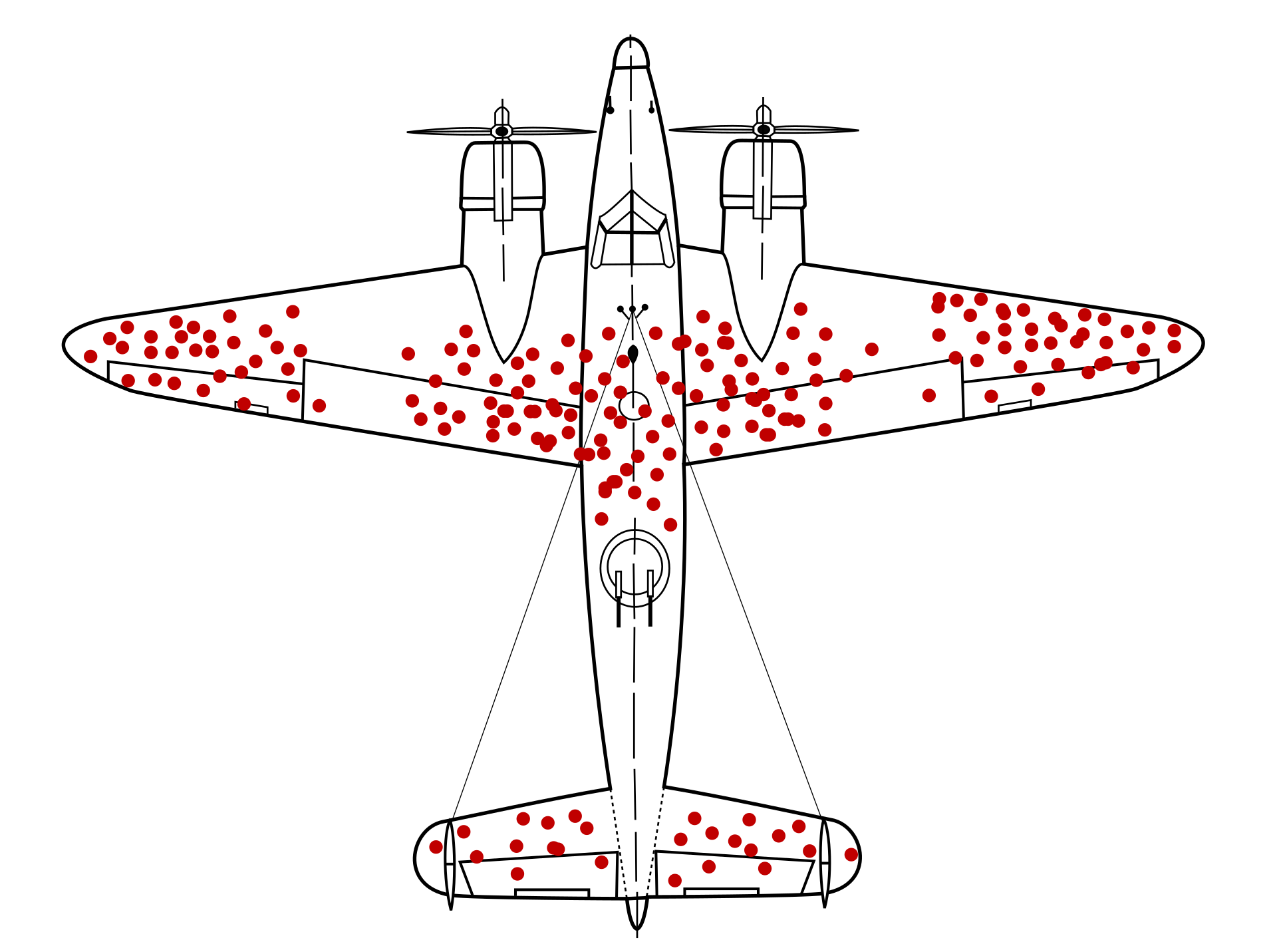
Illustration: Martin Grandjean, McGeddon, Cameron Moll. CC BY-SA 4.0, via Wikimedia Commons.
Input
Extract organisms and sample sizes.
METHODS: We held 48 juvenile rainbow trout (Oncorhynchus mykiss) from two hatchery lines in warm (18 °C) or cold (12 °C) tanks, 24 fish per treatment. After six weeks, we sequenced liver RNA from 10 fish per treatment.
etc.
Process
🧠
the model
Output
1. Oncorhynchus mykiss (rainbow trout): 48 fish, two hatchery lines
2. Warm (18 °C): 24 · Cold (12 °C): 24
3. RNA-seq: 10 per treatment (20 total)
Input
Answer the following question in exactly one sentence: Why are biology graduate students the very best? (Do not pander)
Process
🧠
one word at a time
Output
___
Illustrative. The sentence and the percentages were written for this slide, not measured.
20 Questions conversation
YouI want to play a game of 20 questions: ready?
ModelI’ve picked something. Question 1?
Asked one question, then quit and asked the model what its word had been.
Asked the model to write its word to a file before any questions were asked.
Input
Answer the following question in exactly one sentence: Why are biology graduate students the very best? (Do not pander)
Process
🧠
same prompt, three runs
Run 1 “Because they run the experiments, write the code, and teach the labs, often on a stipend smaller than the sequencing budget.”
Run 2 “Because nobody else in the department will troubleshoot a PCR, debug a pipeline, and grade forty lab reports in the same afternoon.”
Run 3 “Because they are the ones who notice the strange result, rerun it three times, and only then believe it.”
Illustrative runs written for this slide. Run the prompt three times in Vandal Chat for real ones.
Activity 1 · 25 min
MindRouter → Vandal Chat
MindRouter connects your AI tools to models on University of Idaho GPUs.
Your tools
Vandal Chat
A coding agent: Goose, Codex, Claude Code…
Your own Python or R code
MindRouter
checks your key
translates the request
routes it to a GPU
Models on UI GPUs
60+ open-weight models: Qwen, Llama, Gemma, Mistral, gpt-oss…
Prompts and files stay on campus.
It accepts requests in the OpenAI, Anthropic, and Ollama formats, so most AI tools can connect with an address and your API key.
A chat app that reaches the models through MindRouter. Sign in with your university account.
Did your DOI resolve? Right authors? Right claim? We will tally the room.
Connects AI tools to 60+ models running on university GPUs, so prompts stay on campus. It works with most tools. Your API key is how a tool connects, including the coding agent you set up next.
A chat app that reaches the models through MindRouter. Sign in with your university account. Use it to ask questions and draft text; it can also write cited Deep Research reports.
Missing one? Tell us now.
Your steps: copying, pasting, running
Your steps: deciding, approving, reviewing
Agent = model + tools + a loop
Runs on a server: on campus through MindRouter, or at a company such as Anthropic or OpenAI.
Read and write files, run commands, search the web, preview a page. You decide which ones it may use.
Act, look at the result, try again. It keeps going until the job is done or it needs you.
| Chatbot | Agent | |
|---|---|---|
| Sees your files | Only what you paste in | Your whole project folder |
| Runs code | No. You do. | Yes, and reads the output |
| Fixes its own errors | Only when you paste them back | Yes, in a loop |
| What you get | A reply | A finished change: files written and tested |
| Your job | Copy, paste, debug | Set the goal, approve, review |
| What can go wrong | A wrong answer | A wrong action. That is why it asks permission. |
Pages, a stylesheet, images, your CV. An agent creates and edits the files directly. A chatbot gives you text to paste into them.
An agent can open the page in a browser, find broken links or layout problems, and fix them.
An agent can commit changes to GitHub and publish them with GitHub Pages.
The prompt
Build me a one-page academic website: my name, a photo placeholder, a short bio, my research interests, a publications list, and contact links. Use one HTML file that is easy to edit. Show me your plan before you write anything.
Read the plan. Approve the steps. Check the result in a browser before anyone else sees it.
Activity 2 · 12 min
Install a coding agent and connect it to MindRouter.
All six can connect to MindRouter. Each name links to its setup steps in the guide.
Some harnesses need the host as https://mindrouter.uidaho.edu/v1. Your section of the guide says which.
Sign in with it instead of doing step 2, then do steps 3 and 4.
401 key wrong or expired · 404 model name misspelled · 429 rate limit, wait a moment.
An agent runs commands and edits files on your computer.
Start it in the folder for this job. Never your home folder, Documents, or Desktop.
Leave permission prompts on. If you don’t understand a command, say no and ask what it does.
Not your password, not your API key. The agent may write them into files.
Web pages, downloaded code, and PDFs can hide instructions the model will follow. This is prompt injection.
Full-access modes are for disposable virtual machines, not your laptop.
Git, Time Machine, OneDrive history. Something that rolls back what it changed.
From the MindRouter guide’s section on agentic harnesses and cybersecurity. (Read it)
You are ready to build your website in Activity 4.
Flag us now. We will fix it over the break.
Dell’Acqua et al., 2023 · 758 BCG consultants · GPT-4 (paper)
On 18 realistic consulting tasks, consultants using AI finished 12.2% more tasks, 25.1% faster, with more than 40% higher quality.
On one task chosen to be just beyond the AI’s ability, consultants using it were 19 percentage points less likely to get the right answer.
Your ceiling: the hardest thing you know how to do. Where does the AI fail? You are the best judge of its work here.
Your floor: the thing you are weakest at. Does the AI get you to competent? Check its work harder here, because you are less able to spot its mistakes.
A field ecologist’s floor might be writing code. A bioinformatician’s might be designing a field study or writing a grant narrative. Test the AI on yours, not on someone else’s.
| Your instructor | Each course sets its own AI limits. Using AI where it is prohibited is academic dishonesty under the Student Code of Conduct. (FSH 2300) |
| Your advisor and committee | Agree before AI touches your thesis or dissertation, and agree on how you will disclose it. Check the Graduate School’s current guidance too. |
| The university | Decides which tools may handle which data. Anything you put into an AI tool, prompts included, falls under the data classification policy. (OIT guidance) (APM 30.11) |
| Your funder | NIH and NSF have their own rules for applications and for reviewers. |
| Your journal | Authorship, disclosure, and images. The rules differ between journals, so read the author instructions. |
| Can AI be an author? | No. | ICMJE, COPE, Nature, Science, PLOS |
| Do I disclose AI use? | Yes, at submission. Analysis, code, and figures go in Methods with the tool and version. Writing help goes in Acknowledgments. Journals differ on details. | ICMJE (2026), Science (2026) |
| AI-generated images? | Generally not allowed. | Nature, Science |
| Reviewing a paper or proposal? | Do not upload it to an AI tool. It is confidential. | NIH, NSF, ICMJE, journals |
| NIH applications? | Applications substantially developed by AI are not treated as your original ideas. Limit: six applications per PI per calendar year, since September 2025. | NIH NOT-OD-25-132 |
| What is misconduct? | AI-generated data presented as collected, undisclosed AI changes to images, fake references. | NIH (2026) |
Sources: ICMJE COPE Nature Science PLOS NIH NOT-OD-23-149 NIH NOT-OD-25-132 NIH 2026 reminders NSF. Checked October 2026.
Based on the UI Library’s guidance and ICMJE. (UI Library) (ICMJE)
| UI risk level | Examples | AI tools approved for it |
|---|---|---|
| Low | Public information; research data with no regulatory restrictions | Any approved tool, including ChatGPT, Claude, Vandal Chat, and MindRouter. Tools not on the list: Low only. |
| Moderate | Student records (FERPA) | Vandal Chat and MindRouter (interim; only from a university-managed computer or server), Microsoft Copilot with the green shield, Google Gemini, Claude Enterprise through UI sign-in, Vandalizer, Zoom AI Companion |
| High | Health information (HIPAA), Social Security numbers | Almost none: GitHub Copilot Business or Enterprise, Snyk, and locally hosted models only if their security plan allows it |
MindRouter keeps data on university hardware. These four kinds of data have their own rules.
Your IRB protocol and consent forms decide where the data can go. We found no AI-specific guidance from UI’s IRB, so ask the Office of Research Assurances before any AI tool touches it.
Manuscripts and proposals sent to you for review are confidential. Journals, NIH, and NSF prohibit uploading them.
Grades and student submissions are FERPA records: Moderate risk. Use only tools approved for Moderate, and only if the instructor allows it.
A data use agreement may limit where the data can be processed. Read it before uploading.
Activity 3 · 7 min
In pairs: sort six scenarios. Then we compare.
Green fine Yellow fine if you do something first Red don’t
You ask Vandal Chat to explain a statistics method you never learned.
Green No data shared. It is your floor, so check it against a textbook.
You build your academic website with Claude Code on your own Claude account.
Green Public information is Low risk, and OIT lists Claude for Low-risk data.
An agent writes the R code behind a figure in your paper.
Yellow Allowed. Check the code, and disclose the tool and version in Methods.
You want AI to help code themes in interview transcripts from your study.
Yellow Human-subjects data. Ask your IRB first, and never into a Low-only tool.
Your PI asks you to help review a manuscript. You upload it to ChatGPT for a summary.
Red Confidential. Journals, NIH, and NSF all prohibit it.
You have AI sharpen the bands on a western blot and do not mention it.
Red Undisclosed AI image changes are a misconduct example in NIH’s 2026 guidance.
TaMPER
Task
Model
Prompt
Evaluation
Recording
Task
Model
Prompt
Evaluation
Recording
Task
Model
Prompt
Evaluation
Recording
Task
Model
Prompt
Evaluation
Recording
Task
Model
Prompt
Evaluation
Recording
Tell it what you want. (What you really, really want.)
Click a component to highlight it in the prompt and see the guidance.
TASK: Review my fellowship research statement for how well it addresses the Broader Impacts review criterion.CONTEXT: [paste the solicitation’s review criteria and your research statement]DEFINITIONS: Broader Impacts means <paste the solicitation’s own definition>.INSTRUCTIONS: Carefully read the review criteria and the research statement. Find every sentence in the statement that speaks to Broader Impacts. Assess how well the statement addresses Broader Impacts as the solicitation defines it. Provide your response as a number between 1 (not addressed) and 5 (thoroughly addressed) with a 1-2 sentence explanation that quotes the statement.OUTPUT FORMAT: Broader Impacts: <insert number 1-5>, Evidence: <quoted sentences>, Explanation: <insert explanation>Guidance
Definitions and the source material.
The shape of the answer you want back.
The task and how to do it.
Click a component to highlight it in the prompt and see the guidance.
TASK: Review my fellowship research statement for how well it addresses the Broader Impacts review criterion.CONTEXT: [paste the solicitation’s review criteria and your research statement]DEFINITIONS: Broader Impacts means <paste the solicitation’s own definition>.INSTRUCTIONS: Carefully read the review criteria and the research statement. Find every sentence in the statement that speaks to Broader Impacts. Assess how well the statement addresses Broader Impacts as the solicitation defines it. Provide your response as a number between 1 (not addressed) and 5 (thoroughly addressed) with a 1-2 sentence explanation that quotes the statement.OUTPUT FORMAT: Broader Impacts: <insert number 1-5>, Evidence: <quoted sentences>, Explanation: <insert explanation>Guidance
Definitions and the source material.
The shape of the answer you want back.
The task and how to do it.
Click a component to highlight it in the prompt and see the guidance.
TASK: Review my fellowship research statement for how well it addresses the Broader Impacts review criterion.CONTEXT: [paste the solicitation’s review criteria and your research statement]DEFINITIONS: Broader Impacts means <paste the solicitation’s own definition>.INSTRUCTIONS: Carefully read the review criteria and the research statement. Find every sentence in the statement that speaks to Broader Impacts. Assess how well the statement addresses Broader Impacts as the solicitation defines it. Provide your response as a number between 1 (not addressed) and 5 (thoroughly addressed) with a 1-2 sentence explanation that quotes the statement.OUTPUT FORMAT: Broader Impacts: <insert number 1-5>, Evidence: <quoted sentences>, Explanation: <insert explanation>Guidance
Definitions and the source material.
The shape of the answer you want back.
The task and how to do it.
Click a component to highlight it in the prompt and see the guidance.
TASK: Review my fellowship research statement for how well it addresses the Broader Impacts review criterion.CONTEXT: [paste the solicitation’s review criteria and your research statement]DEFINITIONS: Broader Impacts means <paste the solicitation’s own definition>.INSTRUCTIONS: Carefully read the review criteria and the research statement. Find every sentence in the statement that speaks to Broader Impacts. Assess how well the statement addresses Broader Impacts as the solicitation defines it. Provide your response as a number between 1 (not addressed) and 5 (thoroughly addressed) with a 1-2 sentence explanation that quotes the statement.OUTPUT FORMAT: Broader Impacts: <insert number 1-5>, Evidence: <quoted sentences>, Explanation: <insert explanation>Guidance
Definitions and the source material.
The shape of the answer you want back.
The task and how to do it.
Click a component to highlight it in the prompt and see the guidance.
TASK: Review my fellowship research statement for how well it addresses the Broader Impacts review criterion.CONTEXT: [paste the solicitation’s review criteria and your research statement]DEFINITIONS: Broader Impacts means <paste the solicitation’s own definition>.INSTRUCTIONS: Carefully read the review criteria and the research statement. Find every sentence in the statement that speaks to Broader Impacts. Assess how well the statement addresses Broader Impacts as the solicitation defines it. Provide your response as a number between 1 (not addressed) and 5 (thoroughly addressed) with a 1-2 sentence explanation that quotes the statement.OUTPUT FORMAT: Broader Impacts: <insert number 1-5>, Evidence: <quoted sentences>, Explanation: <insert explanation>Guidance
Definitions and the source material.
The shape of the answer you want back.
The task and how to do it.
Click a node in the flowchart to highlight the matching step.
Ask one big question. In 30 to 60 minutes, a 10–50 page PDF report with numbered citations arrives in the chat and in your email.
On university GPUs through MindRouter, at no cost. Only the web searches and page downloads leave campus.
The report, plus a map of every source it found and what happened to each: cited, checked but not cited, set aside, or never read.
Source: VandalChat Deep Research, MindRouter blog, September 2026
The blog’s example: how universities measure the effect of generative AI on student learning, for a faculty audience.
What the fact-check did to the 263 statements the writers drafted
The same five groups that set the rules in Part 3, applied to a Deep Research report.
| Your instructor | The course’s AI policy decides whether you can use a report for graded work at all. If the syllabus is silent, ask first. Handing in a report, a section of one, or a paraphrase as your own work is plagiarism. (FSH 2300) |
| Your advisor and committee | Use a report to get oriented and scope your project. A report does not replace reading the sources. You still write the thesis. |
| The university | Vandal Chat is approved for Low data, and for Moderate only from a university-managed computer. Its web searches go to an outside search provider, so keep confidential details out of the question. (OIT guidance) |
| Your funder | NIH does not treat applications substantially developed by AI as your original ideas. Use a report to find sources, then write the application yourself. (NOT-OD-25-132) |
| Your journal | The report is not a citable source. Follow its citation, read the page, and cite the page. (ICMJE) Whether to disclose AI-assisted literature searching varies: Science says no declaration is needed; check your journal. (Science) |
“More than a plain chat answer, and less than a source you have read yourself.” (MindRouter blog)
Run before class
How are environmental DNA (eDNA) methods being used to monitor fish populations in the Pacific Northwest, and what are their main limitations? Write for first-year biology graduate students.
In class
Activity 4 · 20 min
Build a one-page site with your agent and publish it on GitHub Pages.
Anything in the prompt can end up on the page, so leave out anything private.
Use Vandal Chat with the same prompt, then save the HTML it returns as index.html yourself.
Fill in the brackets. It has the prompt parts from Part 4: task, context, instructions, and output format.
TASK: Build a one-page academic website for me.

CONTEXT:
Name: [your name]
Program and lab: [e.g., PhD student, Biological Sciences, ___ Lab, University of Idaho]
Research interests: [two or three, in plain language]
Short bio: [three or four sentences]
Links: [university email, GitHub, ORCID, Google Scholar: whichever you have]

INSTRUCTIONS: Use one self-contained HTML file with the CSS inside it. No frameworks and no external images; use a gray box as a photo placeholder. Make it easy to read on a phone. Where I left something blank, put a clearly marked placeholder instead of inventing it. Show me your plan before you write anything.

OUTPUT FORMAT: Save it as index.html in this folder, then open it in a browser and fix anything that looks broken.
Free, with GitHub Pages.
Ask your agent to commit and push it. It will ask permission first. Read what it is about to do.
Open your live link, not the file on your laptop. Read every line. Remove anything it invented and anything private.
Open your agent in the same my-website folder and ask it to add your CV and a figure from your research.
Writing about your research instead? Use the same four parts: tool and model, what it did, how you checked, your responsibility.
This site was built with help from [harness, e.g. Goose] using [model name and version], through [the University of Idaho's MindRouter service / my own account], in [month year].
I used it to [what it did: wrote the HTML and CSS from my description].
I checked it by [how: reading every line on the published page].
I wrote the content about me and I am responsible for it.
Questions about MindRouter or Vandal Chat: mindrouter@uidaho.edu. Everything from today, including these slides: github.com/ProfessorPolymorphic/ai-workshop-grad-prodev-2026
Barrie Robison
GitHub · github.com/ProfessorPolymorphic
Built at the University of Idaho.